

Masterclass: Building High-Converting Event Registration Forms That Drive Attendance

In the intricate ecosystem of event marketing, months of strategic planning, multi-channel email campaigns, social media blitzes, and high-profile speaker announcements all culminate in a single, high-stakes micro-moment: a prospective attendee landing on your event registration page and deciding whether to commit.
Yet, industry analytics consistently reveal a startling paradox: event planning teams frequently invest exponentially more time, budget, and creative energy into the live event itself than they do on the very digital portal designed to collect attendee registrations. According to conversion rate optimization experts, this oversight is a critical error. A poorly structured, bloated, or confusing registration form acts as a digital brick wall, quietly turning away visitors who were otherwise primed to buy. Conversely, an expertly engineered, frictionless registration workflow transforms passive interest into confirmed attendance, setting a seamless, professional tone for the entire participant journey.
This comprehensive guide breaks down the core anatomy of modern event registration forms, exploring strategic architecture, essential versus superfluous fields, the power of conditional logic, and how integrated ecosystems like EventMobi are reshaping the logistics of attendee management.

Anatomy of a Registration Form: The Core Gateway
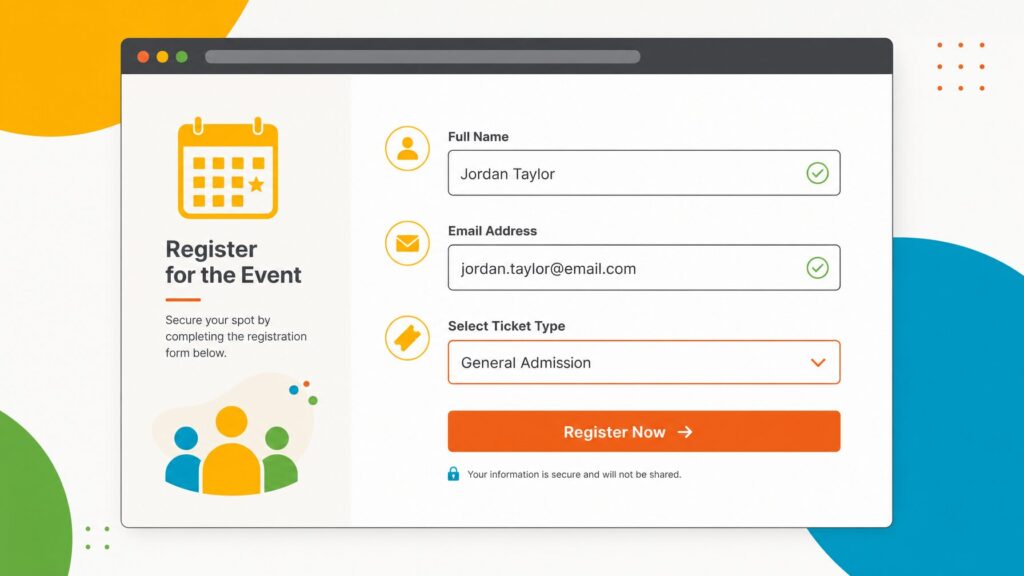
At its foundational level, an event registration form is an online data-capture interface designed to formally register an individual’s intent to participate in a gathering. However, treating the form merely as an administrative checklist underestimates its psychological impact. It is the very first interactive touchpoint a participant has with your event brand.
Depending on the scale and nature of the gathering, forms can range from minimalist RSVP portals capturing little more than a name and email address to complex, multi-tiered architectures. Advanced forms collect ticket tier selections, secure credit card transactions, concurrent session preferences, dietary restrictions, and critical accessibility requirements.
These digital gateways typically reside on dedicated event microsites, landing pages, or embedded directly within corporate intranets and association websites. Furthermore, access models vary: forms can be opened globally to the public or securely restricted to invitation-only cohorts via authenticated links and customized RSVP token flows. Because this interface establishes the participant’s psychological baseline expectations for the event, user experience (UX) design is paramount.
Strategic Architecture: What to Include, What to Exclude
Achieving a high conversion rate requires a delicate balance between gathering enough logistical data to run a flawless event and avoiding the dreaded "form fatigue" that drives abandonment.
Essential Fields for Every Event
Industry best practices dictate that standard registration forms should aim for a sweet spot of 5 to 8 total fields. Crossing the 10-to-12 field threshold triggers a statistically significant spike in drop-off rates. At absolute minimum, organizers must capture:
- First and Last Name: Crucial for personalizing post-registration communications, generating badges, and populating check-in manifests.
- Email Address: The vital artery for delivering confirmation packets, calendar invites, reminder notifications, and real-time updates. (A single typographical error here can sever communication channels permanently).
- Ticket Type Selection: For events offering tiered access—such as VIP passes, general admission, early-bird specials, or member rates—options must be explicitly detailed. Ambiguous nomenclature remains a primary driver of cart abandonment.
Strategic Optional Fields
Beyond the basics, fields should be evaluated based on immediate logistical necessity. Common optional or conditional inclusions feature:
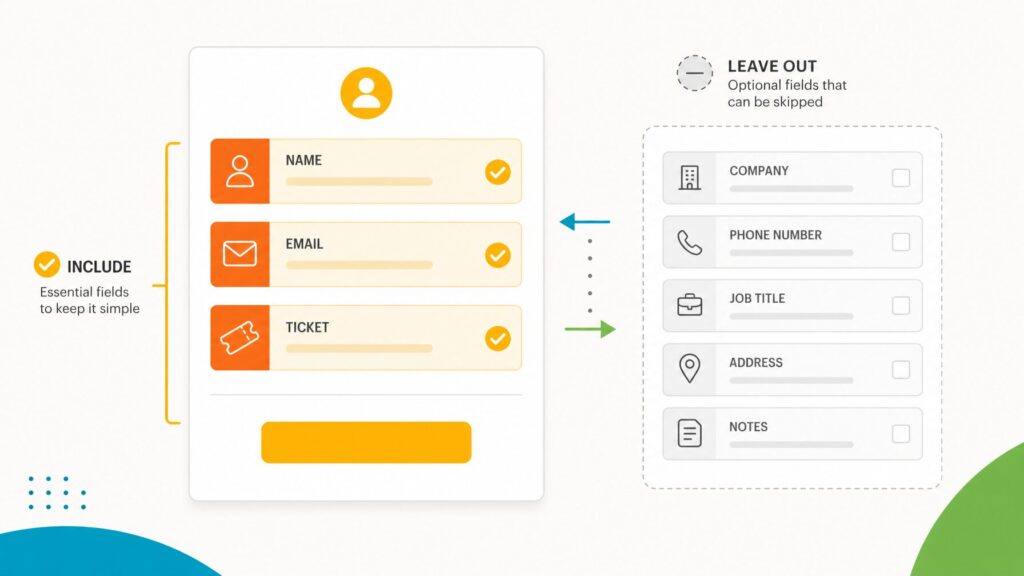
- Organization and Job Highly relevant for B2B conferences, trade shows, and networking events where attendee demographics drive sponsor value and content curation.
- Session and Track Preferences: Essential for complex, multi-track summits where room capacity planning is critical. (Note: True session lock-in during registration requires advanced platform capabilities).
- Dietary and Accessibility Requirements: Vital for in-person hospitality management. Free-text fields are strongly recommended over rigid drop-down lists to accurately capture nuanced human needs.
- Credential or Membership Numbers: Essential for association-driven events requiring eligibility verification or continuing education unit (CEU) tracking.
The Golden Rule of Form Design
Before introducing any data-filtering field, event strategists must apply a strict litmus test: Will this specific data point be actively utilized for event logistics, badge printing, communications, exhibitor lead generation, or post-event reporting? If the answer is no, the field must be eliminated. Secondary data should instead be gathered later via post-registration surveys or on-site app interactions.
Streamlining the Journey with Conditional Logic
One of the most transformative advances in event technology is the integration of conditional logic—frequently referred to as "if/then" rules or form conditions. This capability allows registration forms dynamically to show or hide specific fields based entirely on user selections earlier in the process.
Without conditional logic, organizers face a lose-lose dilemma: either overwhelm every registrant with a massive, universally exhausting questionnaire, or manually construct and maintain dozens of fragmented, siloed forms for different attendee classes.
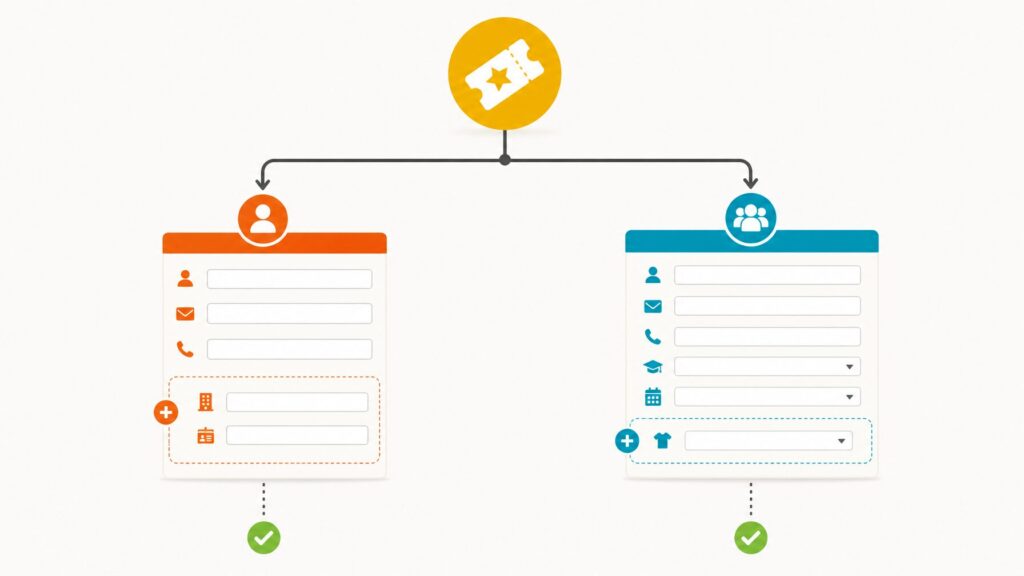
Conditional logic bridges this gap seamlessly. For example:
- If a registrant selects a VIP Ticket, the form dynamically unveils a dropdown menu for exclusive masterclass tracks and premium networking lounges. General admission registrants bypass these fields entirely.
- If a user indicates they are an Association Member, a verification field appears requesting their membership ID. Non-members never see the field, preserving visual cleanliness.
This dynamic tailoring drastically compresses cognitive load, slashing abandonment rates while ensuring precise data collection.
Leveraging Templates and Design Best Practices
Building high-converting registration portals from scratch is inefficient. Modern event professionals rely heavily on pre-built registration form templates—structured frameworks featuring pre-configured standard fields, logical section breakdowns, and responsive layouts.
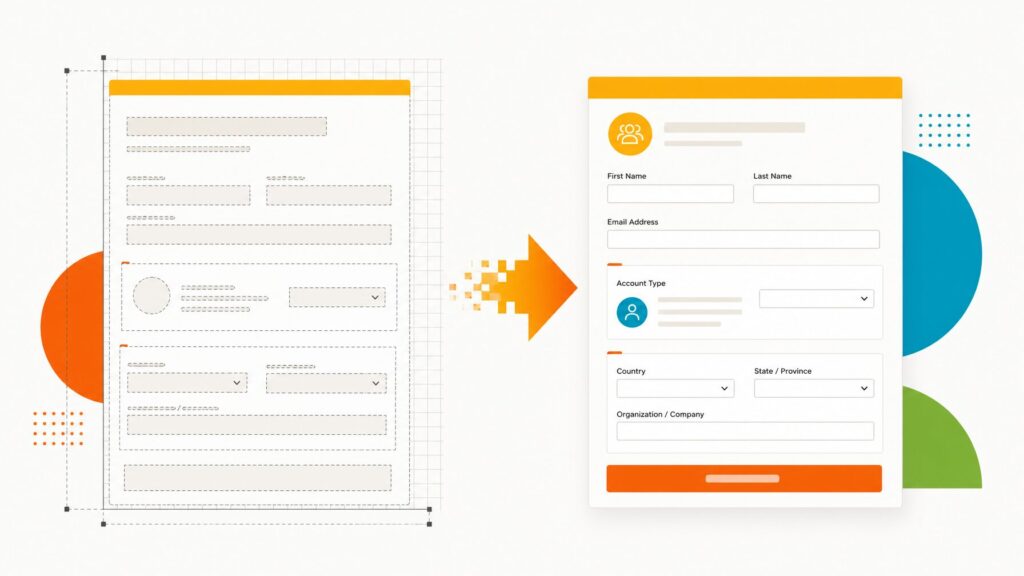
Platforms like EventMobi offer robust default templates designed to handle standard industry requirements out of the box, while leaving ample room for custom field injection and conditional workflow adjustments. However, templates must serve as a baseline, not a rigid mandate. Every default field should be aggressively audited against the event’s unique objectives.
Core UX/UI Design Best Practices
- Keep It Concise: Prioritize minimalism. Every extra form field functions as a deterrent.
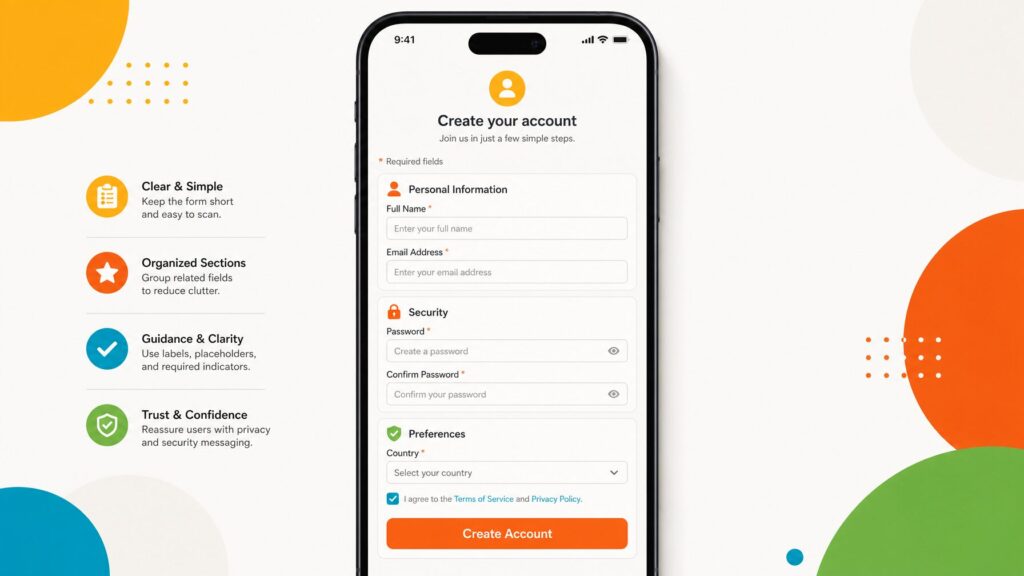
- Organize into Logical Sections: Divide lengthy forms into digestible chapters—such as Personal Details, Ticket Selection, and Preferences—utilizing clear section headers to visualize progress.
- Deploy Explicit Field Labels: Ambiguity breeds error. Replace vague placeholders like "Name" with distinct "First Name" and "Last Name" boxes.
- Transparent Pricing: For paid events, clearly display cost breakdowns, taxes, and service fees upfront. Hidden costs discovered at the final checkout step destroy consumer trust.
- Mobile Optimization Is Non-Negotiable: A massive percentage of modern registrants complete sign-ups directly on mobile devices. Touch targets must be generous, dropdowns native, and submission buttons persistently visible without excessive vertical scrolling.
- Rigorous End-to-End Testing: Before driving traffic to the landing page, organizers must complete a live test registration. Verify that confirmation emails trigger instantly, payment gateways process securely, and user profiles populate accurately within the back-end system.
Ecosystem Integration: Connecting Data to Action
A registration form that functions merely as an isolated data silo solves only half the operational challenge. The true value of modern registration architecture lies in automated downstream integration.
In advanced event management ecosystems—such as the unified EventMobi platform—data collected at the moment of registration flows effortlessly across multiple operational pillars without manual intervention:
- Attendee Profiles: Real-time synchronization populates internal team databases instantly.
- Automated Badge Printing: Names, organizations, titles, and custom designations sync directly with on-site badge generation hardware, eliminating tedious data-prep bottlenecks.
- Event Apps: Registered participants are instantly enrolled in the mobile event application, streamlining networking and community building prior to arrival.
- Targeted Email Communications: Integrated communication hubs read registration metrics dynamically, allowing organizers to segment email campaigns by ticket type, workshop selection, or custom metadata.
- On-Site Check-In: Frontline check-in staff leverage the exact same unified dataset in real-time, ensuring lightning-fast queue management.
By unifying registration, app infrastructure, email marketing, and on-site check-in within a single platform, event teams eliminate cumbersome data exports, data reconciliations, and human error.
Avoiding Common Registration Pitfalls
Even seasoned event planners occasionally fall victim to persistent registration pitfalls. Avoiding these common mistakes can dramatically elevate overall campaign ROI:
- Hoarding Unnecessary Data: Collecting information "just in case" damages conversion metrics. Audit forms ruthlessly.
- Recycling Legacy Forms Unchanged: Reusing last year’s corporate conference form for a boutique regional workshop guarantees irrelevant data collection. Always customize from a clean template baseline.
- Neglecting Mobile Validation: Failing to test the user experience on smartphones leads to sudden, unexplained drops in mobile sign-ups.
- Overusing Mandatory Fields: Restrict required fields strictly to information the event cannot operate without.
- Failing to Test Payment and Confirmation Workflows: A broken payment gateway on launch day or a missing confirmation email can paralyze attendee confidence. Always run rigorous sandbox tests before public deployment.
Conclusion: Getting Started
Optimizing your event registration funnel does not require a dedicated software engineering team or complex graphic design resources. It requires a clear-cut strategy regarding essential data requirements, an agile event platform equipped with conditional logic and automated data flows, and an unwavering commitment to end-to-end pre-launch testing.

By harnessing sophisticated yet intuitive tools—such as EventMobi’s unified registration builder—organizers can effortlessly deploy sleek, high-converting registration forms that seamlessly bridge the gap between initial attendee interest and a flawlessly executed live event.