

The Anatomy of Conversion: Why Your Event Registration Form Is the Most Critical Link in Your Marketing Funnel

By Event Technology & Strategy Desk
In the high-stakes world of event planning, organizers invest months—sometimes years—crafting captivating agendas, securing industry-renowned keynote speakers, and orchestrating dazzling multi-channel marketing campaigns. Yet, conversion rates often stall at the final hurdle. Every social media post, targeted email newsletter, and promotional video ultimately funnels toward one pivotal digital real estate: the event registration page.

Despite its critical role as the gateway to attendance, industry audits consistently reveal that event teams spend a disproportionate amount of time on logistical production while treating the registration form as an afterthought. This oversight carries a heavy cost. A poorly constructed form—burdened by excessive fields, ambiguous ticketing tiers, and clunky user interfaces—will systematically alienate high-intent registrants who were otherwise ready to commit. Conversely, a frictionless, intelligently engineered registration form transforms passive site visitors into confirmed participants, setting a seamless tone for the entire attendee journey.
The Strategic Evolution of Event Registration
An event registration form is far more than a digital clipboard or an administrative data-collection utility. In modern event marketing, it represents the foundational touchpoint of participant engagement. At its most rudimentary level, a form captures a name and an email address. At its most comprehensive, it orchestrates ticket purchases, financial processing, preferred session tracks, dietary restrictions, accessibility requirements, and customized association credentials.
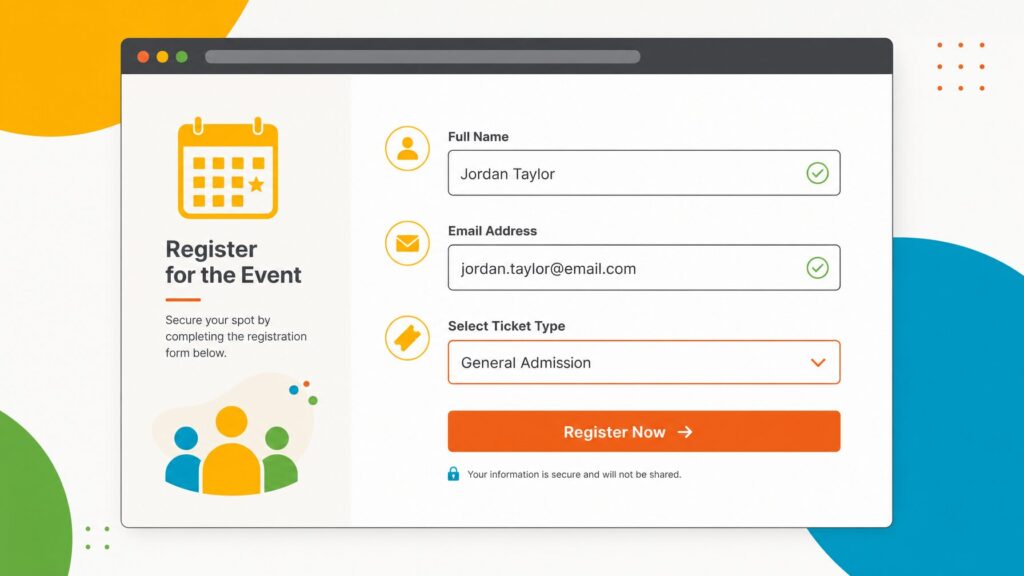
Conventionally, these forms live on dedicated landing pages, embedded directly into corporate websites, or deployed via private invitation-only RSVP workflows. However, user expectations have evolved. Modern audiences demand the same frictionless checkout experiences they encounter in consumer e-commerce. When a registration interface is sluggish, confusing, or overly demanding, it acts as a digital deterrent, eroding brand trust before the event has even commenced.
Chronology of a Conversion: Designing for the Attendee Lifecycle
To understand how high-converting registration forms operate, industry analysts break down the attendee’s journey into four distinct chronological phases: Discovery, Evaluation, Commitment, and Integration.
Phase 1: Discovery and First Impressions
When an attendee clicks through from an email or social media advertisement, they experience an immediate psychological shift from casual browser to active evaluator. The registration page must instantly validate their intent by mirroring the branding, messaging, and visual hierarchy of the promotional campaign. Visual continuity reassures the visitor that they are in the right place.
Phase 2: Evaluation and Data Minimization
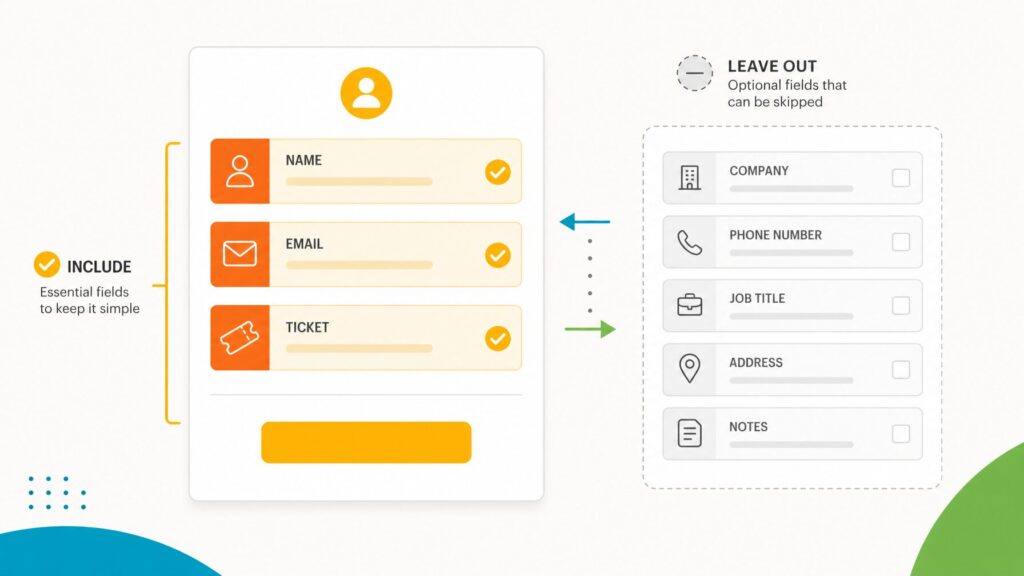
During the evaluation phase, the user scans the form’s structural layout. This is where most drop-offs occur. Data proves that form abandonment spikes exponentially as the total field count climbs past ten. Optimal event registration strategies dictate a lean form architecture containing between five and eight core fields.
- Essential Fields: First name, last name, email address, and ticket type selection.
- Strategic Optional Fields: Organization, job title, and specialized dietary or accessibility requirements.
- Redundant Fields: Extraneous questions regarding referral sources or speculative demographic data should be deferred to post-event surveys or onsite check-in touchpoints.
Phase 3: Dynamic Interaction via Conditional Logic
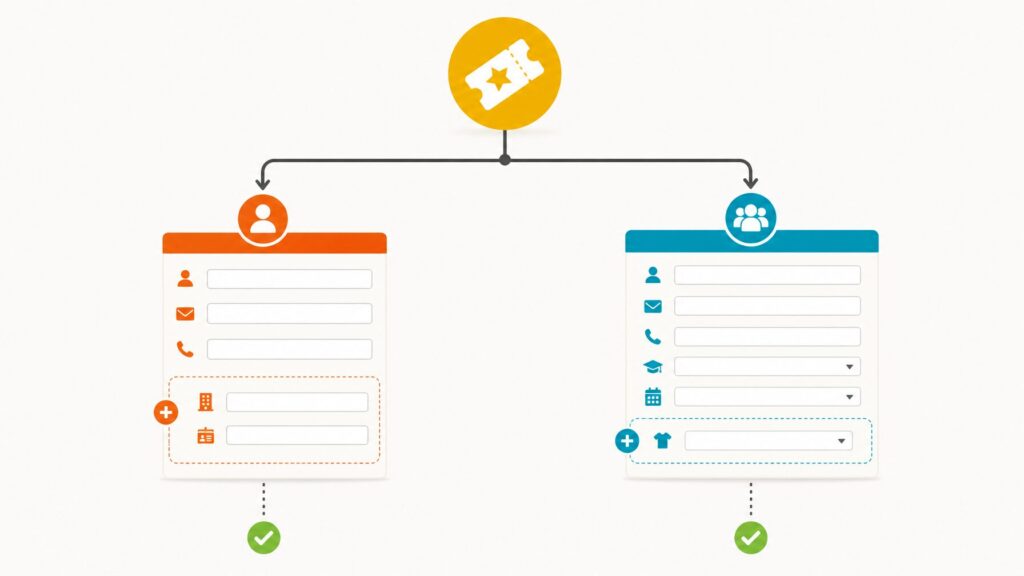
A major technological breakthrough in registration design is the deployment of conditional logic—often referred to as "if/then" branching. Rather than subjecting every registrant to a monolithic, overwhelming wall of questions, conditional forms dynamically adapt in real-time based on previous inputs.
For instance, if a user selects a "VIP All-Access" pass, the interface dynamically reveals specialized fields for masterclass track selections and premium networking sessions. Meanwhile, general admission ticket holders bypass these fields entirely. Similarly, selecting a "Member" tier can trigger a conditional field requiring a valid association membership number. This methodology eliminates form fatigue, preserves data integrity, and removes the administrative burden of maintaining multiple distinct forms for various attendee personas.
Phase 4: Immediate Post-Commitment Integration
The moment a user clicks "Submit," the registration lifecycle pivots from data collection to operational deployment. In a fragmented technology stack, this is where manual errors multiply, requiring event teams to export spreadsheets, manually generate name badges, and reconcile payment gateways.
Modern, integrated event platforms streamline this chronology by ensuring that data captured at the point of registration flows instantaneously across the entire ecosystem. Real-time synchronization populates attendee profiles, triggers personalized confirmation sequences, feeds badge-printing queues, and updates the event mobile application without human intervention.
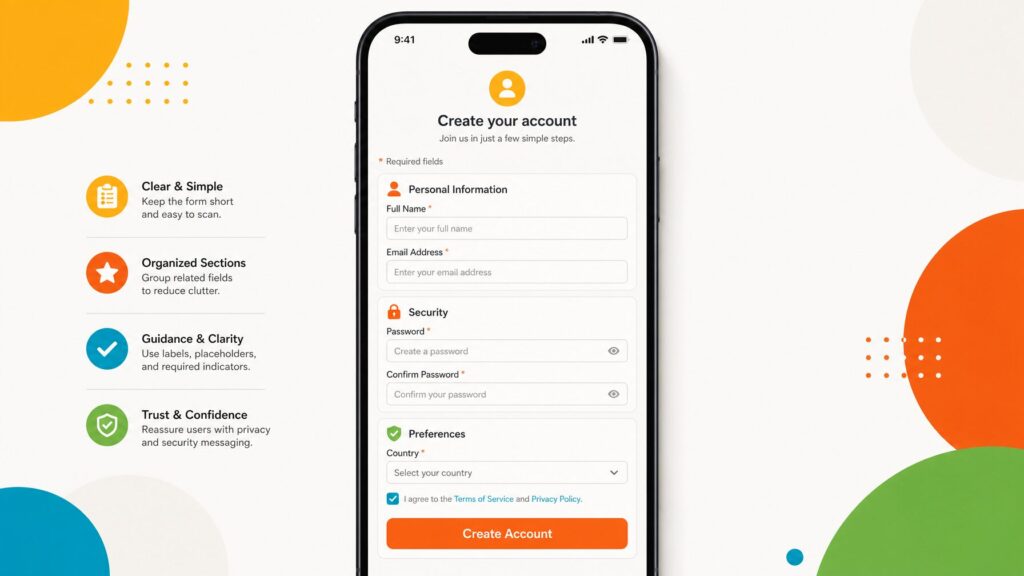
Supporting Data & Empirical Insights on Form Optimization
To quantify the impact of strategic form design, industry benchmarks highlight several critical performance indicators:
- The Field-Count Threshold: Research consistently demonstrates that forms restricted to 5–8 fields yield optimal conversion rates. Expanding forms beyond 12 fields can increase user abandonment rates by upwards of 40%.
- Mobile Responsiveness: With mobile traffic accounting for a dominant share of web browsing, forms that lack responsive design—where drop-down menus break, text scaling fails, or submit buttons require excessive scrolling—suffer immediate penalties in conversion velocity.
- Pricing Transparency: Hidden fees and ambiguous descriptions of what is included in specific ticket tiers remain leading causes of cart abandonment among paid events. Explicit, upfront pricing structures significantly boost completion rates.
Official Perspectives from Event Technology Leaders
Industry leaders emphasize that registration architecture must be treated as a core revenue and data asset rather than a static webpage.

"The registration form is the hinge upon which your entire event’s success swings," notes product strategy experts in the event technology sector. "If you make it difficult for people to give you their time and money, they simply won’t do it. Organizers must stop viewing registration as a paperwork exercise and start treating it as the opening act of the attendee experience."
Furthermore, data privacy and compliance considerations have elevated the importance of secure, transparent data collection. Organizers are increasingly required to provide clear consent checkboxes for data processing and marketing communications directly within the registration flow, making interface minimalism even more challenging—and essential.
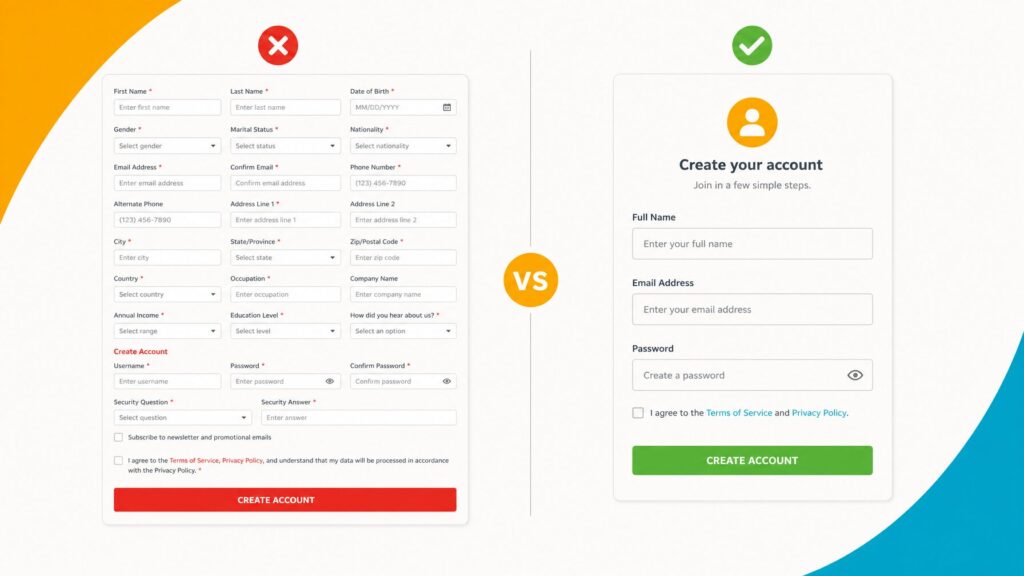
Strategic Implications for Event Organizers
The implications of optimizing event registration forms ripple across every department involved in event production:
- Marketing ROI: Higher conversion rates directly reduce the customer acquisition cost (CAC) for paid events, maximizing the return on marketing spend across email and social channels.
- Operational Efficiency: Automated data flows eliminate hours of manual data entry, drastically reducing human error in badge printing, VIP tracking, and catering headcounts.
- Enhanced Attendee Satisfaction: A smooth, intuitive registration process establishes a professional tone, reassuring attendees that the live or virtual event itself will be executed to the highest standard.
Summary Checklist for Event Registration Success
- Audit Your Fields: Keep the core form to 5–8 essential fields. Remove any metric you do not actively use for reporting, logistics, or communication.
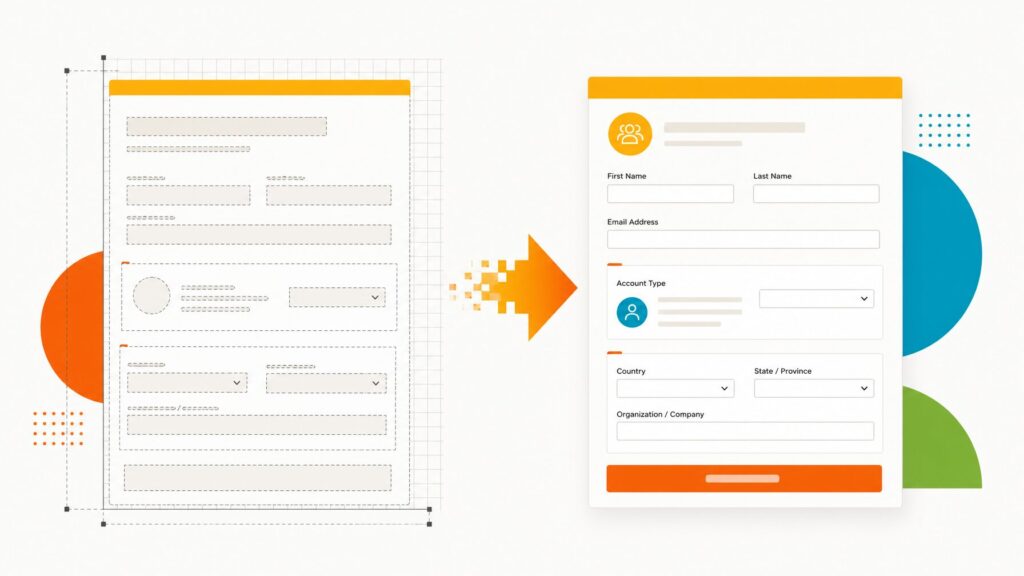
- Leverage Templates & Conditional Logic: Utilize pre-built templates for rapid deployment, but customize them using if/then conditional fields to personalize the user experience.
- Prioritize Mobile-First Design: Test the layout, button placements, and drop-down menus rigorously on various mobile screen sizes.
- Execute End-to-End Testing: Conduct dummy registrations to audit confirmation email delivery, payment gateway functionality, and downstream data synchronization before launching publicly.
By shifting focus away from bloated, static forms and toward streamlined, intelligent, and integrated registration architectures, event organizers can dramatically boost attendance figures and lay the groundwork for an unforgettable participant experience.
Related posts: