

The Ultimate Blueprint for High-Converting Event Registration Forms: Strategy, Design, and Data Integration

In the modern landscape of event marketing, millions of dollars are funneled into eye-catching social media campaigns, persuasive email sequences, high-profile speaker announcements, and dynamic promotional videos. Yet, industry analysts consistently find that event organizers trip at the very final hurdle: the registration page. The event registration form is the ultimate conversion bottleneck of your entire marketing funnel. Every strategic effort a team deploys culminates in a single, high-stakes moment—a visitor landing on your registration form and deciding whether to commit their time, attention, and capital.
Despite its pivotal role, a prevailing industry habit remains: many event teams invest more time and creative energy into planning the physical or virtual event itself than designing the digital portal intended to capture attendee data. This is a critical strategic miscalculation. A poorly engineered registration form—characterized by bloated fields, convoluted ticket tiers, or a frustrating user interface—will systematically leak prospective attendees who were otherwise ready to buy. Conversely, a masterfully structured, friction-free form transforms casual website traffic into dedicated participants.
This comprehensive guide explores the anatomy of an optimal event registration form, evaluating essential elements, strategic omissions, conditional logic frameworks, template utilization, and the broader data architecture necessary to elevate conversion rates.

Main Facts: The Registration Form as Your Funnel’s Foundation
At its core, an event registration form serves a dual purpose: it acts as a legal and administrative contract securing intent to participate, and it functions as the central data ingestion pipeline for an organization.
What is an Event Registration Form?
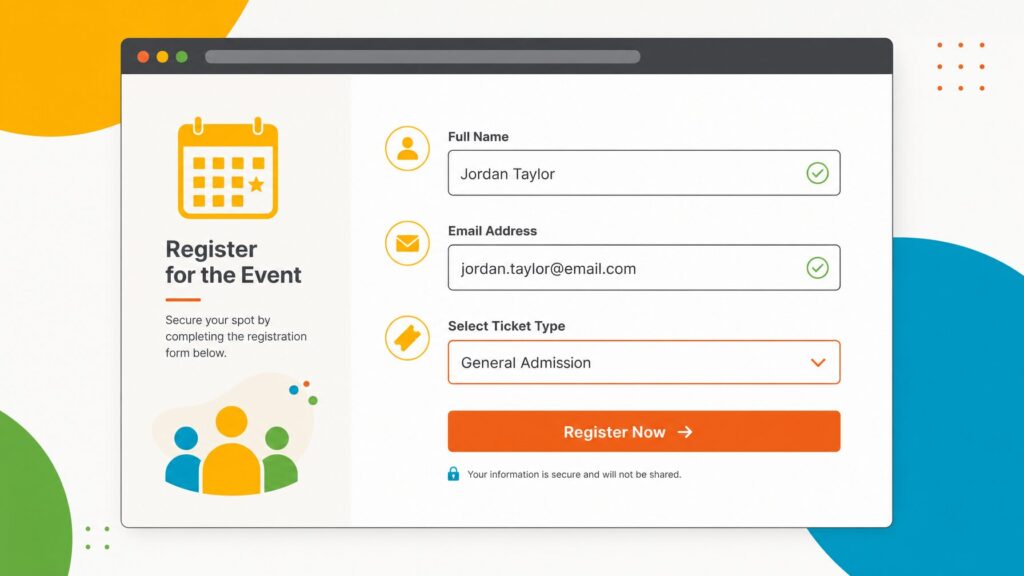
An online event registration form is a digital questionnaire deployed to capture participant information and validate attendance. Depending on the complexity of the event, its scope ranges from minimalist configurations—harvesting merely a name and an email address—to comprehensive data suites that process financial transactions, parse multi-track session preferences, and log complex accessibility or dietary parameters.
Typically hosted on dedicated landing pages, embedded within corporate portals, or distributed via restricted, invitation-only RSVP hyperlinks, these forms represent the first active touchpoint an attendee experiences as a participant rather than a passive browser. Consequently, the psychological friction or ease encountered during this process establishes the baseline tone for the entire event lifecycle.
The Conversion Equation: Form Length vs. Completion Rates
Data analytics from leading event technology providers emphasize a stark correlation: form length inversely dictates completion rates. Forms requesting more than 10 to 12 fields suffer steep drop-offs. Industry best practice dictates an optimal threshold of 5 to 8 well-chosen fields for standard events. Every additional input requested introduces cognitive friction, acting as an active deterrent for prospective registrants.
Chronology: The Evolution of Event Data Collection
The methodology of gathering attendee information has undergone a profound structural shift over the past two decades.
- The Paper Era (Pre-2000s): Event registration relied heavily on physical mail-in forms, fax transmissions, or onsite manual clipboard entry. Data reconciliation required massive administrative overhead, high labor costs, and suffered from frequent human transcription errors.
- Early Web Forms (2000s–2010s): The advent of static HTML web forms allowed organizers to collect data digitally. However, these early systems operated in silos. Data submitted via web pages often required manual exporting into spreadsheets, creating a painful disconnect between marketing teams, logistics coordinators, and on-site check-in staff.
- The Siloed SaaS Boom (2010s–2020): Standalone form-builders and event software emerged, allowing basic customization. While efficiency improved, data remained fragmented. Organizers still struggled with disparate tools for email marketing, badge creation, and mobile event apps, forcing manual data importation and reconciliation.
- The Modern Connected Ecosystem (Present Day): Today’s cutting-edge event registration infrastructure utilizes fully integrated, cloud-native platforms. Advanced conditional logic dynamically adapts forms in real-time, while backend pipelines automatically distribute submitted data across attendee profiles, badge printers, email marketing hubs, and onsite check-in terminals without human intervention.
Supporting Data: What to Include, What to Exclude, and How to Optimize
To construct a high-converting registration page, event planners must rigorously audit every single data point they request.
Essential Fields for Every Event
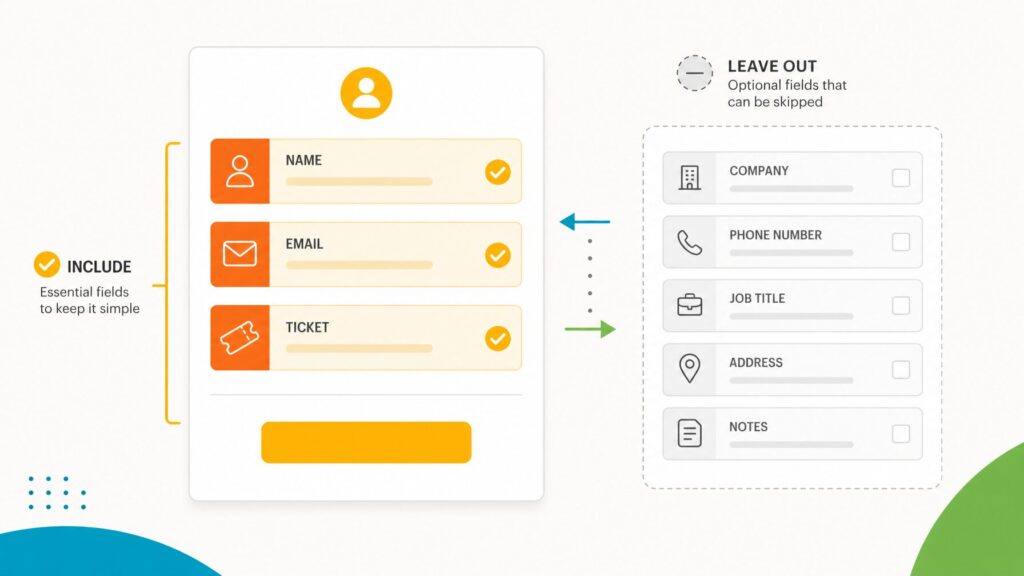
Regardless of industry, nearly every functional registration form requires three foundational inputs:
- First and Last Name: Crucial for personalizing post-registration communications, generating official credentials, and building verified check-in manifests.
- Email Address: The lifeline of event logistics. A single typographical error here can permanently sever communication channels, stranding the registrant without confirmation codes or access links.
- Ticket Type Selection: For events offering tiered access (e.g., General Admission, VIP, Early Bird, Member-Only), clear delineation is mandatory. Ambiguous ticket tier definitions represent one of the leading causes of cart abandonment.
Strategic Optional Fields
Beyond the basics, optional fields must justify their existence based on operational necessity:
- Organization and Job Highly valuable for B2B conferences, tradeshows, and networking-heavy functions to inform sponsor metrics and content personalization.
- Dietary and Accessibility Requirements: Critical compliance measures for in-person gatherings. Free-text fields are vastly superior to rigid drop-down menus for accurately capturing nuanced medical or physical needs.
- Credential or Membership Numbers: Essential for professional associations or continuing education (CE/CME) events to verify tier-based pricing and credit accrual.
Fields to Immediately Eliminate
To preserve high conversion velocities, organizers should purge speculative data collection. If a field’s data will not be actively deployed for logistics, badge composition, sponsor ROI reporting, or critical communications, it must be cut. Collecting information simply because it "might be useful someday" directly sabotages event registration metrics.
Official Industry Responses and Expert Insights
Event technology specialists and seasoned marketing directors emphasize that user experience (UX) design within the registration portal dictates financial viability.
"The registration page is not an administrative afterthought; it is the climax of your entire marketing ecosystem," notes a leading enterprise event technologist. "If you spend six months crafting a world-class program and sixty seconds throwing together a clunky, fifteen-question form, your drop-off rates will completely hollow out your ROI."
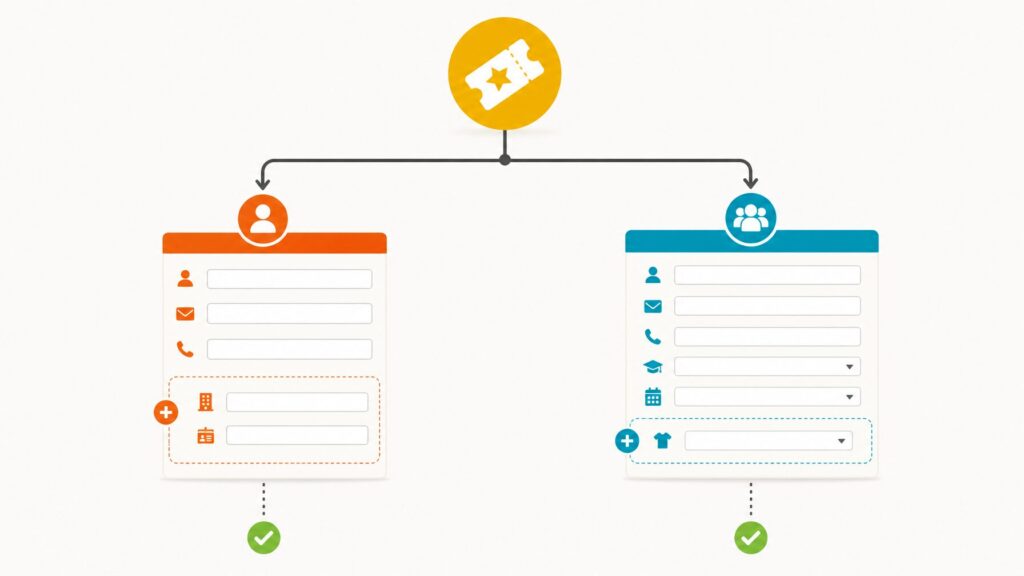
Furthermore, experts highlight the revolutionary impact of conditional logic (also referred to as if/then form conditions). By dynamically showing or hiding fields based on prior inputs—such as revealing a workshop selection menu exclusively to those who choose a VIP pass—organizers can glean granular data from targeted segments without overwhelming casual general admission buyers. This eliminates the operational trap of either overwhelming users with monolithic forms or fragmenting administrative workflows across dozens of separate landing pages.
Implications: The Power of End-to-End Data Integration
The true dividends of an optimized registration form are fully realized only after the submit button is pressed. In legacy workflows, data collection ended in a spreadsheet export. In modern, fully integrated event ecosystems—such as those powered by comprehensive platforms like EventMobi—registration data instantly cascades across an interconnected architecture:
- Automated Attendee Profiles: Real-time synchronization populates internal team databases instantly, eliminating manual data entry bottlenecks.
- Frictionless Badge Printing: Collected names, credentials, and custom attributes flow seamlessly into badge design generators, streamlining on-site processing lines.
- Dynamic Email Segmentation: Communications hubs immediately ingest registration statuses and ticket categories, allowing marketers to dispatch hyper-targeted behavioral email campaigns.
- Unified Onsite Check-In: Front-desk staff operate from the exact same real-time data registry as the remote marketing team, drastically reducing queue times and administrative friction on event day.
Conclusion: Best Practices and Getting Started
Building an elite event registration form does not require an army of developers or complex custom code. It demands a rigorous commitment to user-centric design, strategic restraint regarding data collection, and robust pre-launch testing.
To guarantee success, event organizers should adhere to the following checklist before going live:
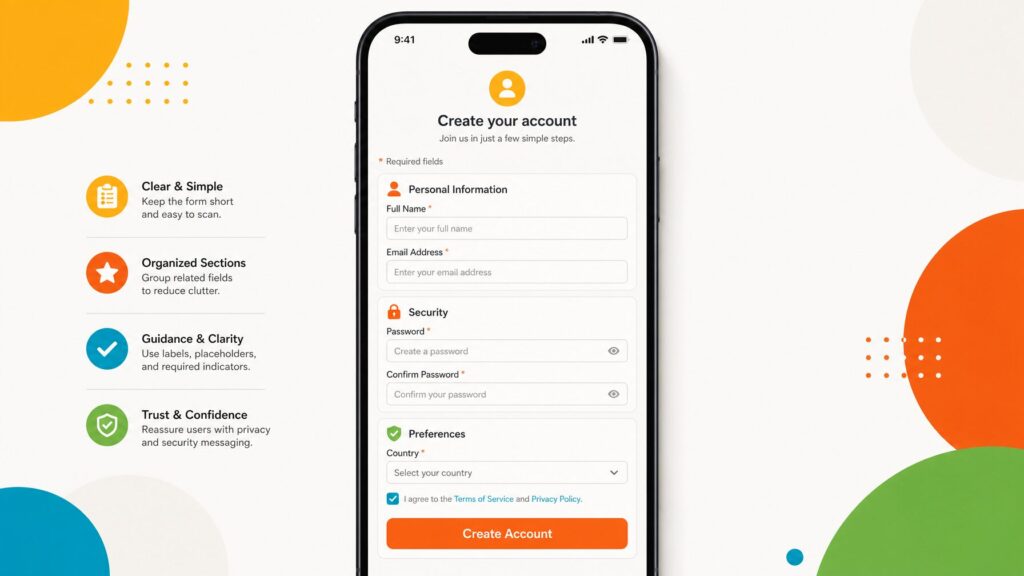
- Keep It Concise: Restrict the form to 5–8 high-impact fields.
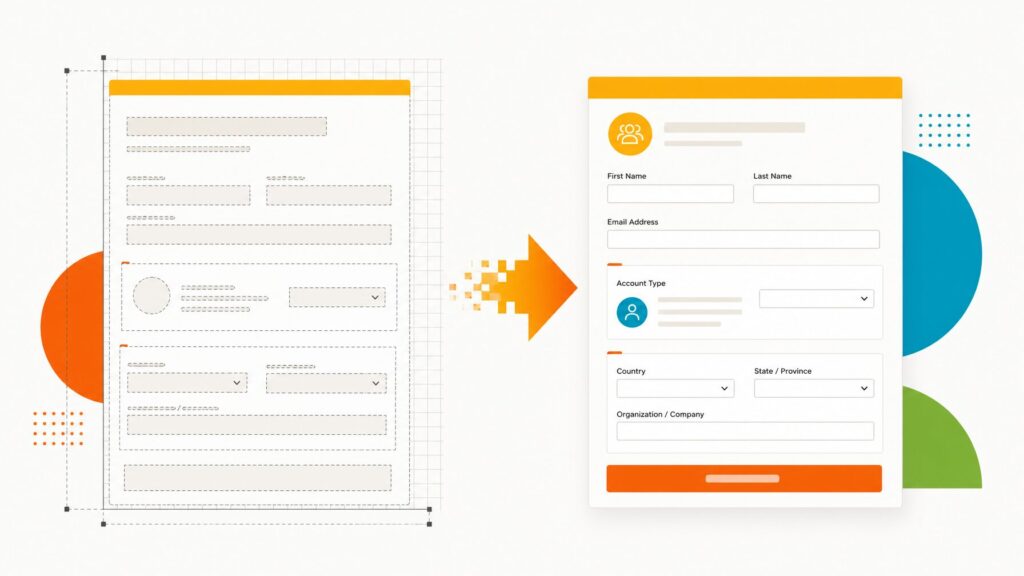
- Organize Logically: Group inputs into clearly labeled, thematic sections (e.g., Personal Details, Ticket Tier, Event Preferences).
- Prioritize Mobile Responsiveness: Extensively test form layouts, date pickers, and submit buttons on mobile smartphone screens.
- Conduct End-to-End Testing: Run live test transactions utilizing real email addresses to audit confirmation emails, payment gateways, and backend synchronization.
By streamlining the registration pathway, eliminating unnecessary friction, and leveraging advanced conditional logic alongside unified data architectures, event planners can dramatically elevate conversion rates and set the operational stage for an exceptionally successful event.