
The Definitive 2026 Social Media Image Size Guide: Protecting Your Brand Identity Across Platforms

Last Updated: October 15, 2026
Primary Universal Standard: 1080 x 1080 px (1:1 ratio) for universal feed compliance across Instagram, Facebook, LinkedIn, Bluesky, and Threads.
In the digital landscape of 2026, a brand’s visual identity is its frontline ambassador. Long before a potential customer reads a caption, inspects a product feature, or visits a landing page, they encounter a pixel-level impression. When that visual asset is improperly sized, it arrives blurred, awkwardly cropped, or missing critical text and logos.
According to recent platform data, static images remain an absolute workhorse of digital marketing—accounting for nearly half of all brand content on major networks like Facebook. Yet, despite their ubiquity, mismatched dimensions continue to plague marketing teams. Solving this friction requires precise, up-to-date specifications and streamlined creative workflows.
Main Facts: The Universal Metrics of Digital Design
Every social media platform enforces strict pixel dimensions, aspect ratios, and file limits to govern how profile photos, cover images, and primary posts render.
For 2026, the baseline safety net for standard cross-platform feed posts is 1080 x 1080 pixels (a 1:1 square ratio). This specific dimension renders perfectly across Instagram, Facebook, LinkedIn, Bluesky, and Threads without forcing automated algorithmic cropping. For vertical placements—such as Stories and Reels—the industry standard holds firmly at 1080 x 1920 pixels.
Why Dimensions Dictate Brand Equity
- Algorithmic and API Limitations: Scheduling tools and third-party management applications publish via official platform APIs, which enforce far stricter boundaries than native mobile apps. For example, Instagram’s API strictly accepts feed images constrained between a 4:5 and a 1.91:1 ratio, rejecting anything outside those parameters.
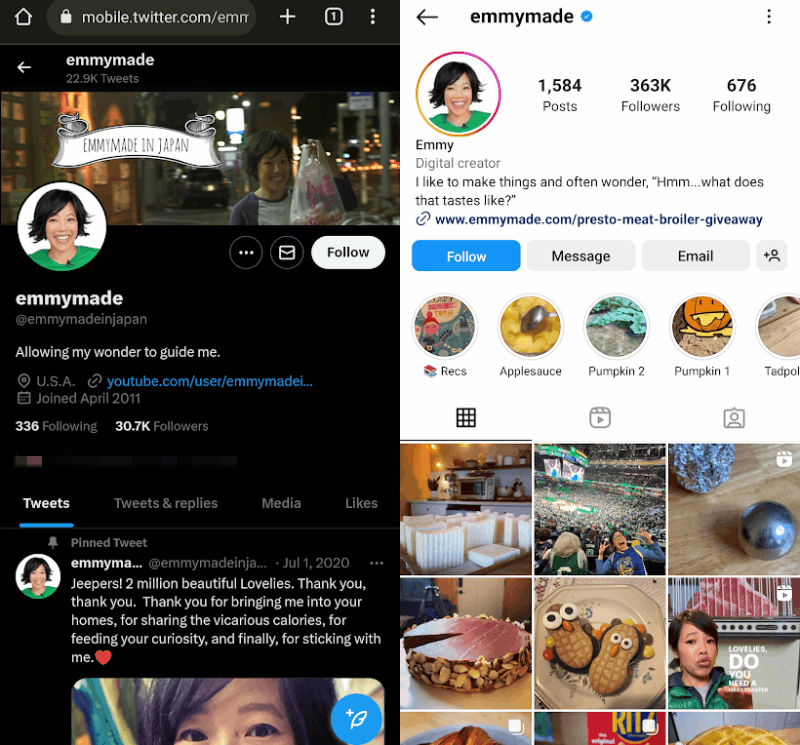
- The High Cost of Auto-Cropping: When creators fail to match native specs, platforms make the layout decisions for them. Key messaging, facial features, and brand logos routinely disappear beneath user-interface (UI) overlays or circular cropping frames.
- Perceived Professionalism: Viewers equate visual polish with operational competence. Blurry compressions or truncated text signal an oversight in attention to detail.
Chronology: The Evolution of Platform Requirements
The digital design ecosystem has evolved significantly over the past several years, shifting away from rigid, single-size constraints toward dynamic, multi-format flexibility.
- The Early Era of Strict Squares: Platforms historically forced every image into strict 1:1 constraints, frustrating photographers and designers who relied on cinematic or portrait ratios.
- The Portrait Pivot (2022–2024): Platforms gradually abandoned mandatory square crops to accommodate native smartphone photography. Instagram and Facebook introduced full support for 4:5 vertical frames, recognizing that taller assets capture significantly more mobile screen real estate.
- The 2025–2026 Multi-Image and High-Res Shift: Platforms like Bluesky integrated high-resolution rendering up to 4000 pixels alongside swipeable carousels. Simultaneously, platforms unified around native aspect ratios, forcing brands to adopt intelligent resizing pipelines rather than manual, platform-by-platform redesigns.
Supporting Data & Cross-Platform Cheat Sheet
Static visual assets remain the foundational building blocks of modern content strategies. Industry benchmark metrics indicate that static graphics comprise roughly 48% of all brand content published on top-tier networks.
To maintain efficiency, modern marketing teams rely on centralized cheat sheets to audit and deploy assets instantly.
| Platform | Profile Image | Cover / Banner Image | Primary Post / Feed Image |
|---|---|---|---|
| 110 × 110 px | N/A | 1080 × 1080 px or 1080 × 1350 px | |
| 320 × 320 px | 851 × 315 px | 1080 × 1350 px | |
| X (Twitter) | 400 × 400 px | 1500 × 500 px | 1600 × 900 px |
| 400 × 400 px | 4200 × 700 px (Company) | 1200 × 627 px | |
| TikTok | 200 × 200 px | N/A | 1080 × 1920 px |
| YouTube | 800 × 800 px | 2560 × 1440 px | 1280 × 720 px |
| 165 × 165 px | 800 × 450 px | 735 × 1102 px (or 1000 × 1500 px) | |
| Snapchat | 320 × 320 px | 375 × 569 px | 1080 × 1920 px |
| Threads | 320 × 320 px | N/A | 1080 × 1080 px |
| Bluesky | 400 × 400 px | 1500 × 1500 px | 1080 × 1080 px |
| Google Business | 720 × 720 px | 1024 × 576 px | 1200 × 900 px |
Official Responses and Platform Best Practices
Major digital networks continually update their developer guidelines to optimize how content renders across heterogeneous hardware, from high-end desktop displays to budget mobile devices.
Core Format Recommendations
- File Formats: Use JPG for photographic imagery to optimize file sizes and load times. Reserve PNG for graphics containing sharp text, vector logos, or high-contrast lines.
- Quality Thresholds: Always upload the highest-quality source file permitted within the platform’s ceiling, allowing the platform’s native compression algorithms to handle final delivery safely.
- The "Safe Zone" Rule: Always keep critical design elements—such as typography, call-to-action buttons, and logos—safely tucked away from outer edges. Circular profile crops and dynamic UI overlays routinely shave off the outer 10% to 20% of image frames.
Platform-Specific Deep Dives
- Instagram & Facebook: Meta platforms prioritize vertical real estate. While 1:1 squares remain dependable, 1080 x 1350 px (4:5 ratio) vertical posts dominate mobile feeds. For Stories and Reels, keep text clear of top and bottom margins where handles and CTA buttons reside.
- LinkedIn: As the world’s leading professional network boasting over 1.3 billion users, personal and corporate credibility hinges on crisp asset execution. Company page cover images (4200 x 700 px) require high-resolution source files to prevent pixelation on ultra-wide desktop monitors.
- X (Twitter): X supports uncropped 4:3 and 16:9 streams, making square (1:1) and landscape formats optimal for capturing maximum mobile viewport height without triggering automated cuts.
- Pinterest: Functioning primarily as a visual search engine, Pinterest rewards verticality. The recommended 2:3 ratio (1000 x 1500 px) prevents content from being truncated in busy search feeds.
Implications for Marketers and Creative Teams
The financial and operational impact of incorrect image sizing extends far beyond a poorly rendered post. When marketing teams lack standardized workflows, hours are lost bouncing between design software, manually cropping assets, and troubleshooting emergency fixes post-publish.
Streamlining Production with Centralized Tools
Forward-thinking organizations have eliminated creative friction by adopting integrated social media management ecosystems. Tools like Sprout Social and its free companion resizer, Landscape, allow creative teams to ingest a single master asset and instantly resize it across every major network’s exact specifications.
Furthermore, embedded native integrations—such as direct Canva panels within enterprise publishing windows—enable designers and social managers to build, format, and deploy compliant assets without leaving their core scheduling dashboard.
Protecting Asset Consistency
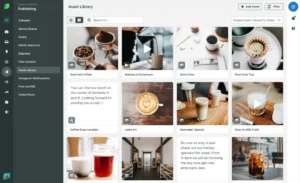
Maintaining a single source of truth through a unified Asset Library ensures that regional teams, copywriters, and community managers always deploy approved, brand-compliant campaign imagery. By previewing content within a dedicated compose window before hitting publish, teams eliminate rendering surprises entirely.
Frequently Asked Questions (FAQs)
What image size works on every social media platform?
A 1080 x 1080 pixel square (1:1 ratio) is the safest universal fit for standard feeds. For vertical placements like Stories and Reels, use 1080 x 1920 pixels. Pinterest is the primary exception, preferring a 2:3 ratio (1000 x 1500 pixels).
What is the best image size for an Instagram post?
Use 1080 x 1350 pixels at a 4:5 portrait ratio to capture maximum mobile screen space. Scheduled API posts must remain strictly between 4:5 and 1.91:1.
What happens if you post an image with the wrong dimensions?
The platform will automatically crop, compress, letterbox, or reject the asset. This often results in cut-off text, truncated logos, and degraded visual quality.
What file format is best for social media?
Use JPG for photographs to minimize load times, and use PNG for crisp typography, UI mockups, and transparent vector logos.
How often do social media image dimensions change?
Platforms update their layouts, UI overlays, and ad placements frequently. Relying on static memory is risky; marketing teams should reference up-to-date documentation and leverage automated resizing software to stay compliant.
Related posts: